


What is the Proper Use of a Microscope Camera?
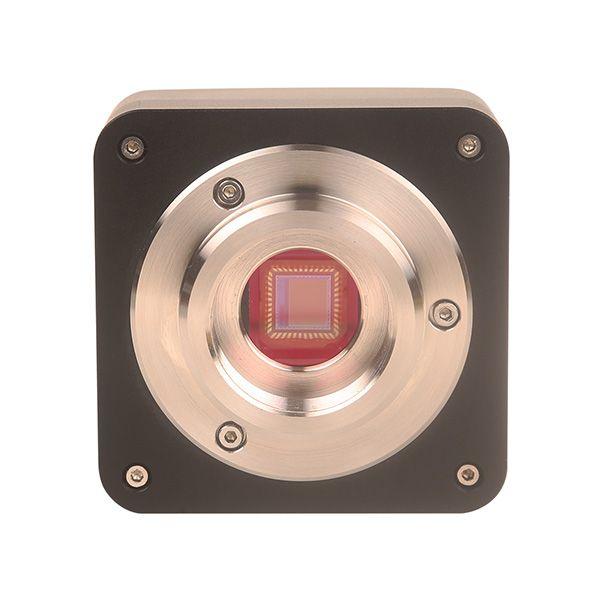
Using a microscope camera to capture sharp images and videos of your specimens for research, education, or entertainment can be very rewarding. Here's a step-by-step guide on how to use a microscope camera:
1. Put your equipment together: Before beginning, make sure you have everything you'll need, such as a computer with image editing software, a camera for the microscope, and a microscope (if desired).
2. Have your microscope ready: Verify that your microscope is properly focused and calibrated on the specimen you wish to image. Make any necessary adjustments to the lighting and magnification settings to achieve the desired image quality.
3. Attach the microscope camera: Locate the C-mount adapter on your microscope's trinocular head. Proceed with caution and ensure that the C-mount adapter and microscope camera are securely attached.
4. Connect the microscope camera to your computer: Use the included USB cable to connect your microscope camera to a USB port on your computer. Refer to the manufacturer's instructions to learn how to install any necessary software or drivers.
5. Launch the image capture software: Start the image capture software that was included with your microscope camera or use a reliable third-party application. The software should detect the linked camera and allow you to view a live image from the microscope.
6. Adjust image settings: Modify the software's image settings to obtain the highest quality image for your specimen. It might be necessary to adjust the exposure, brightness, contrast, and white balance to achieve this.
7. Capture images and videos: You can record still images or videos of your specimen if its image quality is sufficient. Click the capture button on the software to take a still image; start and stop the recording to take a video.
8. Edit and process images (optional): You can use photo editing software to enhance or modify the captured images if you'd like. Using filters or adjusting the brightness, contrast, and sharpness may be required to achieve this.
9. Store and distribute your photos and videos: Save the captured images and videos to your computer or a portable hard drive. You can share your images and videos with others by burning them to a CD or DVD or uploading them online.
10. Cut off the microscope's camera: Before using the microscope camera for the last time, carefully unplug it from the C-mount adapter and USB port. Store the camera in a safe place to avoid damage.
Operating a microscope camera is a useful skill that has many applications. Enhanced comprehension of the microscopic world and the capacity to make perceptive observations and discoveries with the aid of a microscope camera can be advantageous to anyone engaged in research, education, medicine, hobbies, or quality control.
 Portuguese (Brazil)
 English
 Arabic
 French
 Spanish
 Portuguese
 Deutsch
 Turkish
 Dutch
Dutch
 Italiano
 Russian
 Romaian
 Greek
Greek