


How Do I Care for My Microscope Camera?
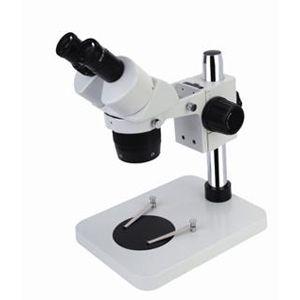
Proper care is essential for maintaining the performance and longevity of your microscope camera. Here's a detailed guide:
1. Handling and Storage:
· Gentle Handling: Always handle the camera with care. Avoid dropping it or subjecting it to rough treatment.
· Clean Hands: Ensure your hands are clean and dry before handling the camera to prevent fingerprints and smudges on the lens or sensor.
· Storage: Store the camera in a clean, dry, and dust-free environment. Use the provided case or a suitable container to protect it from dust, moisture, and impact. Avoid extreme temperatures and humidity.
· Lens Cap: Always keep the lens cap on when the camera is not in use to protect the lens from scratches and dust.
2. Cleaning:
· Lens Cleaning: The camera lens is delicate and requires special care.
Dust Removal: Use a gentle blower or a soft brush designed for optics to remove dust particles. Avoid using compressed air, as it can damage the lens.
Fingerprints and Smudges: If necessary, use a lens cleaning solution specifically designed for camera lenses and a soft, lint-free cloth. Moisten the cloth (never the lens directly) and gently wipe the lens in a circular motion.
· Camera Body: Use a soft, damp cloth to clean the camera body. Avoid using harsh chemicals or solvents.
· Sensor Cleaning: Cleaning the camera sensor is more delicate and generally not recommended unless absolutely necessary. If you suspect the sensor is dirty, consult the camera's manual or contact the manufacturer for advice. Professional cleaning is often the safest option.
3. Maintenance:
· Regular Checks: Periodically check the camera for any signs of damage or loose connections.
· Firmware Updates: Keep the camera's firmware up to date. Manufacturers often release updates that improve performance, fix bugs, or add new features. Check the manufacturer's website for updates.
· Professional Service: If you encounter any issues with the camera, it's best to consult a professional camera repair service or contact the manufacturer for assistance. Don't attempt to repair it yourself unless you have the necessary expertise.
4. Software:
· Updates: Keep the camera's software up to date for optimal performance and compatibility with your computer and microscope.
· Data Backup: Regularly back up your images and videos to prevent data loss.
5. Environmental Considerations:
· Temperature and Humidity: Avoid using the camera in extreme temperatures or high humidity, as this can damage the internal components.
· Dust and Dirt: Minimize exposure to dust and dirt, as these can get into the camera and affect image quality.
By following these care instructions, you can ensure that your microscope camera remains in good working condition and continues to produce high-quality images for years to come.
 Portuguese (Brazil)
 English
 Arabic
 French
 Spanish
 Portuguese
 Deutsch
 Turkish
 Dutch
Dutch
 Italiano
 Russian
 Romaian
 Greek
Greek